Infrastructure Naming Scheme
Often overruled, once the network infrastructure grows, labeling is of the utmost importance.
To prove this, I stand by my experience (or, lack of). When I had a young mind, I always thought about labeling as some fancy, go-figure practice, used by bored datacenter engineers. And, oh, how wrong I was.
As soon as my local network of the early 2000s grew to a bunch of power distribution and Ethernet cables, I started to have a very rough time figuring out which is which. But I didn't give up my beliefs. I continued to go unlabeled for a decade more.
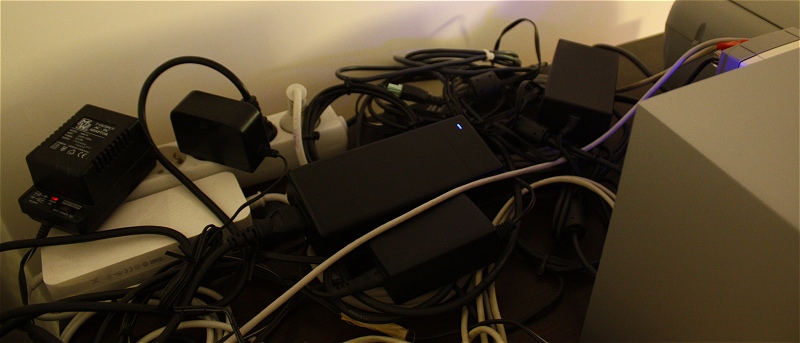
Then it was so complex that I had to use different color RJ-45 sleeves and keep track of cables and hardware on paper.
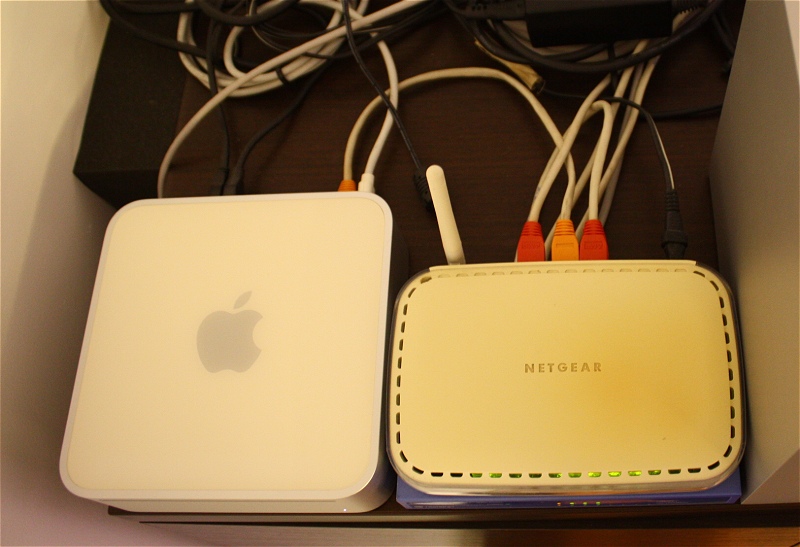
And finally I gave up and embraced a healthy mindset as I started labeling every bit and piece.
These days, I can't even picture structured cabling or network racks without labels. And not even server internals, where things could quickly become hectic once an HBA or HBA port expander is present. A twenty-four-drive system without a storage device backplane is a mess without cable management and labeling. Heck, even a six-drive build can be difficult to debug if one or two drives are due for replacement.
On this page, I document the naming scheme used for my private network infrastructure elements. It is something that I came up with after experimenting with various identification techniques. I can't say whether it's good or bad, but it fulfills my requirements.
Even though I saw marketing pictures in computer literature of the beginning of the millennium, clearly displaying labeled cables attached to 48-port switches and patch panels, I wasn't convinced at all about the necessity of such a practice. And I read official documentation (I highly recommend NASA workmanship standards articles and any NASA guide in general, as well as the ANSI/TIA-606-B standard for network cables), and learned about best practices, and I was still not convinced. So, I had to learn it the hard way. For sure, my life would've been way easier should I had followed the industry trends and learned from knowledgeable people that I had the chance to interact with.
19" Networking Racks
Racks follow a simple naming scheme, using the word RACK followed by a capital letter (A to Z) used as unique identifier.
Labels are printed on 12 mm black or white background adhesive tape using one line.
Examples:
| Identifier | Description |
|---|---|
RACK A | self-explanatory |
RACK B | idem |
Power Distributors
There are two kinds of power distributors, managed (networked) and unmanaged (standard). In addition, each can be of either Schuko or C14 type.
Labels are printed on 12 mm black or yellow background adhesive tape using three lines.
PDUxx/FTP-yy/R(S) translates to:
| Symbol | Meaning |
|---|---|
PDU | power distributor |
xx | two-digit socket count (01 to 10) |
F | feature (M is managed, U is unmanaged) |
T | type (S is Schuko, C C14) |
P | power source (U is UPS, M is mains) |
yy | two-digit identifier (01 to 09) |
R | single letter unique rack identifier (A to Z) |
S | side of the rack (F is front, R is rear) |
Examples:
| Identifier | Description |
|---|---|
PDU09/USU-01/A(R) | first power distributor of type standard Schuko with 9 sockets bound to UPS in RACK A, rear mounted |
PDU08/UCU-02/A(R) | second power distributor of type standard C14 with 8 sockets bound to UPS in RACK A, rear mounted |
PDU08/MCM-01/B(R) | first power distributor of type managed C14 with 8 sockets bound to mains in RACK B, rear mounted |
Full label example:
PDU08/UCU-02/A(R)
DANGER 230V~ 2.5A (MAX)
Real world example:
!img-to-be-added!Patch Panels
Patch panels use a slightly more complex naming scheme.
Labels are printed on 12 mm black background adhesive tape using three lines.
PPxx/CA-yy/R(S) translates to:
| Symbol | Meaning |
|---|---|
PP | patch panel |
xx | two-digit port count (01 to 24) |
CA | one or two letter patch cable category (5, 5e, 6A, etc.) |
yy | two-digit identifier (01 to 99) |
R | single letter unique rack identifier (A to Z) |
S | side of the rack (F is front, R is rear) |
Examples:
| Identifier | Description |
|---|---|
PP24/6A-01/A(F) | first 24-port cat. 6A patch panel in RACK A, front mounted |
PP24/6A-02/A(F) | second 24-port cat. 6A patch panel in RACK A, front mounted |
PP24/5e-01/B(R) | first 24-port cat. 5e patch panel in RACK B, rear mounted |
Full label example:
PP24/6A-01/A(F)
1-24:1-47 STEP: 2
Real world example:
!img-to-be-added!Switches
Switches use a similar naming scheme to patch panels. Floating switches follow a slightly different naming scheme, using the physical location as additional identifier.
Labels are printed on 9 mm or 12 mm black, white, or clear background adhesive tape, using two, respectively three lines.
SWxxSP/FT-yy/R(S) and SWxxSP-FT-yy/L translate to:
| Symbol | Meaning |
|---|---|
SW | switch |
xx | two-digit port count (05 to 52) |
SP | two-letter speed (Fa is fast Ethernet, Gi is Gigabit, Te is Ten Gigabit) |
F | feature (M is managed, U is unmanaged) |
T | type (A is aggregation, C is core, E is edge) |
yy | two-digit identifier (01 to 99) |
R | single letter unique rack identifier (A to Z) |
S | side of the rack (F is front, R is rear) |
L | physical location of the switch (LIVING, OFFICE, etc.) |
Examples:
| Identifier | Description |
|---|---|
SW48Gi/MC-01/A(F) | first 48-port Gigabit managed core switch in RACK A, front mounted |
SW16Te/MA-02/B(R) | second 16-port Ten Gigabit managed aggregation switch in RACK B, rear mounted |
SW24Gi/UE-02/A(F) | second 24-port Gigabit unmanaged edge switch in RACK A, front mounted |
SW05Gi/UE-08/GARAGE | eighth 5-port Gigabit unmanaged edge switch in specific location (i.e.: GARAGE) |
Full label example:
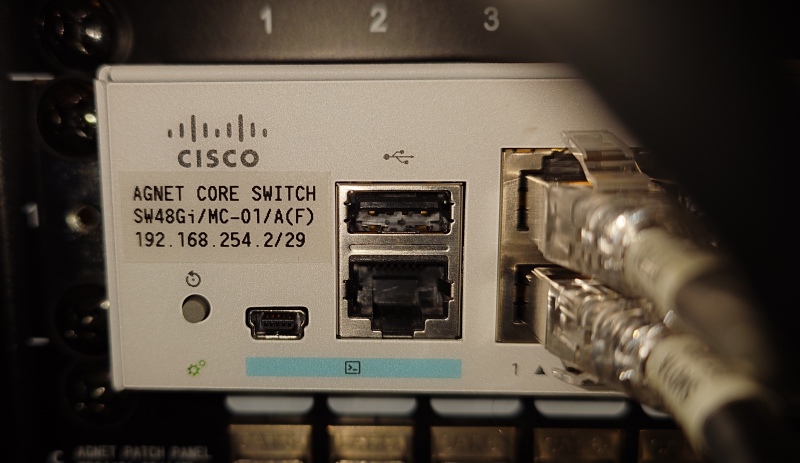
SW48Gi/MC-01/A(F)
192.168.254.2/29
Real world example:
Ethernet Cables
In general, interconnect Ethernet cables follow a simple two-line tagging, where first line is device name, and second is the interface number, if there are multiple interfaces available. Otherwise, the second line additionally describes the device. The same label is added to both cable ends.
Labels are printed on 18 mm white background adhesive tape, using two lines.
ETHx
TEXT
| Symbol | Meaning |
|---|---|
NAME | device name |
ETHx | single-digit Ethernet interface ID (where x is 1 to 9) |
TEXT | additional description |
Examples:
| Identifier | Description |
|---|---|
ROUTER MGMT | router/firewall, management interface |
Real world example:
!img-to-be-added!Patch Panel Cables
Patch panel Ethernet cables are labeled on both patch panel and switch cable ends, using an easy to follow pattern.
Labels are printed on 12 mm black or white background adhesive tape, using two lines.
PT/zz
PT/zz
| Symbol | Meaning |
|---|---|
PP | patch panel |
xx | two-digit identifier (01 to 99) |
SW | switch |
yy | two-digit identifier (01 to 99) |
R | single letter unique rack identifier (A to Z) |
PT | port type (PT is pass-through, PO is PoE) |
zz | switch port number (01 to 52) |
Examples:
| Identifier | Description |
|---|---|
PP02A ---/--- PT/44 SW01A PT/44 | cable connects switch port 44 to patch panel |
Real world example:
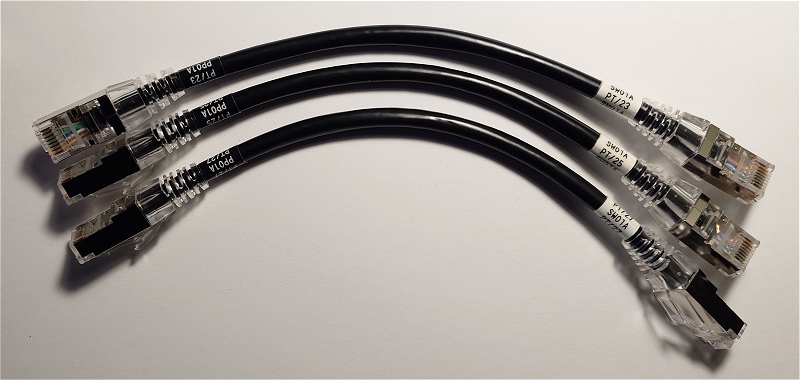
And multiple connected patch panel cables, showing how easy it is to identify each of them:
